
If you follow AI news today, you’ve probably noticed one thing. New AI tools are launching almost every week. Some are powerful but confusing. Others are simple but limited. That’s where Google Whisk AI feels different.
Whisk AI is not about writing long prompts or learning complex settings. It’s about creating visuals using images themselves. For beginners, that makes it one of the most interesting experiments to come out of Google Labs.
In this guide, I’ll explain what is Google Whisk AI and how to use Whisk AI for free, in plain language. No hype. No tech overload. Just real explanations, examples, and honest pros and cons.
What Is Google Whisk AI?
Google Whisk AI is a generative image tool from Google Labs that lets you create new visuals by using images as your prompt instead of just typing text. You upload up to three images to represent the subject, scene, and style, and the system blends those together into new artwork. That gives you a more intuitive and visual way to guide the creative process.
Under the hood, it uses Google’s Gemini model to automatically generate detailed captions from your input images. Those captions are then passed into Imagen 3, Google’s image-generation model, to produce the final results. Because it’s remixing the essence of the inputs rather than copying them pixel for pixel, the outputs can be creative and surprising.
Whisk isn’t positioned as a professional photo editor. It’s meant for fast visual exploration and idea generation. You can try different combinations of source images and tweak optional text details to refine what you get.
How to Use Whisk AI for Free: A Step-by-Step Guide
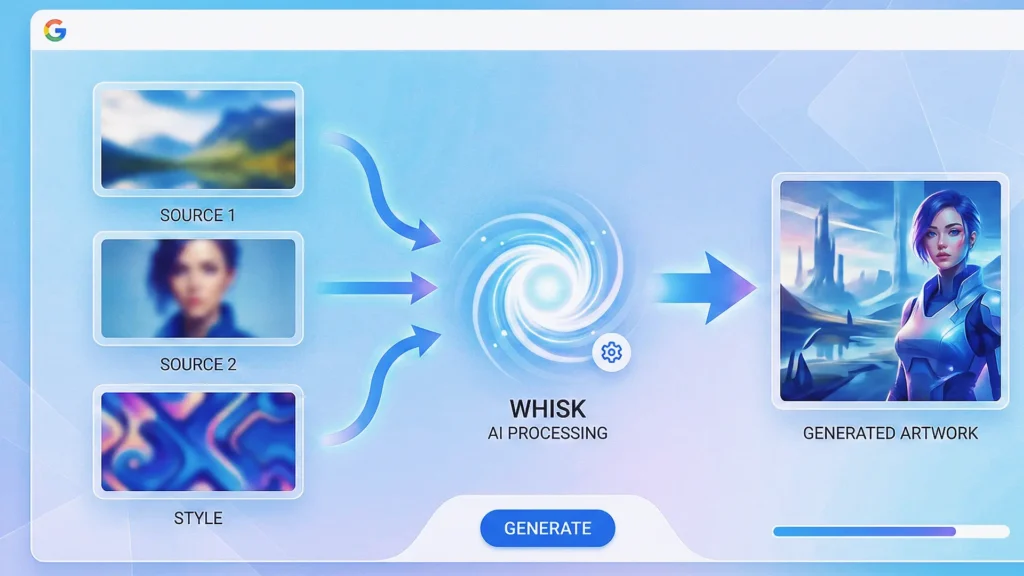
Ready to start creating? It’s currently available as a Google Labs experiment. Here is the simple walkthrough to get you started.
Step 1: Go to Google Labs
First, navigate to the official Google Labs website. Search for “Whisk” in the tools section.
- Direct Link: Try visiting labs.google/fx/tools/whisk
- Login: You will need a personal Google account to sign in.
Pro Tip: Whisk is currently rolling out slowly. If you don’t see it, it might be restricted in your country (mostly US-based right now). Some users successfully use a VPN to access it from other regions.
Step 2: Upload Your References
Once you are in the Whisk AI app interface, you will see three empty boxes. This is where the magic happens.
- Click “Subject”: Upload a photo of a person, object, or character.
- Click “Scene”: Upload a background image.
- Click “Style”: Upload an image that has the artistic vibe you want.
Don’t have images? No problem. Whisk often provides a gallery of presets you can drag and drop to test it out.
Step 3: Click Generate
Hit the button! Whisk will analyze your images. Under the hood, it uses Gemini to “see” your photos and write a text prompt for you, then sends that to Imagen 3 to create the final art.
- In seconds, you’ll get 2-4 variations of your new image.
Step 4: Refine (Optional)
If the result isn’t perfect, you can tweak it. Whisk allows you to add a short text note if you really want to (like “make the lighting darker”), but you don’t have to.
Using the Whisk AI Video Generator
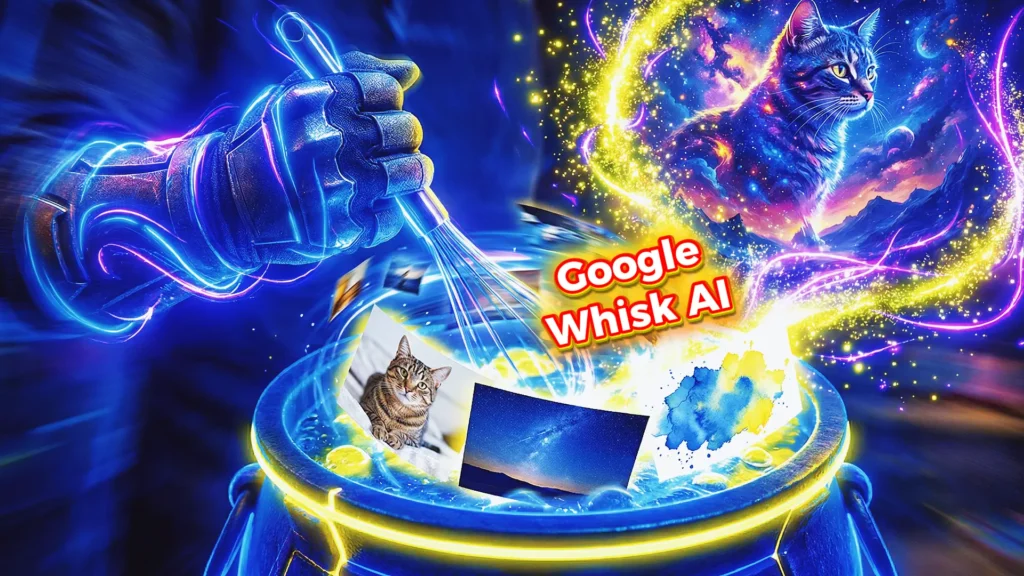
Whisk isn’t just for still pictures anymore. It recently added an “Animate” feature.
- Create an image using the steps above (or upload one).
- Switch the mode from “Image” to “Animate”.
- Whisk will use Google’s video technology (likely Veo) to turn your static picture into a short, 3-4 second video clip.
- You can download this as an MP4 to share on TikTok or Instagram Reels!
Is Whisk AI Free or Paid?
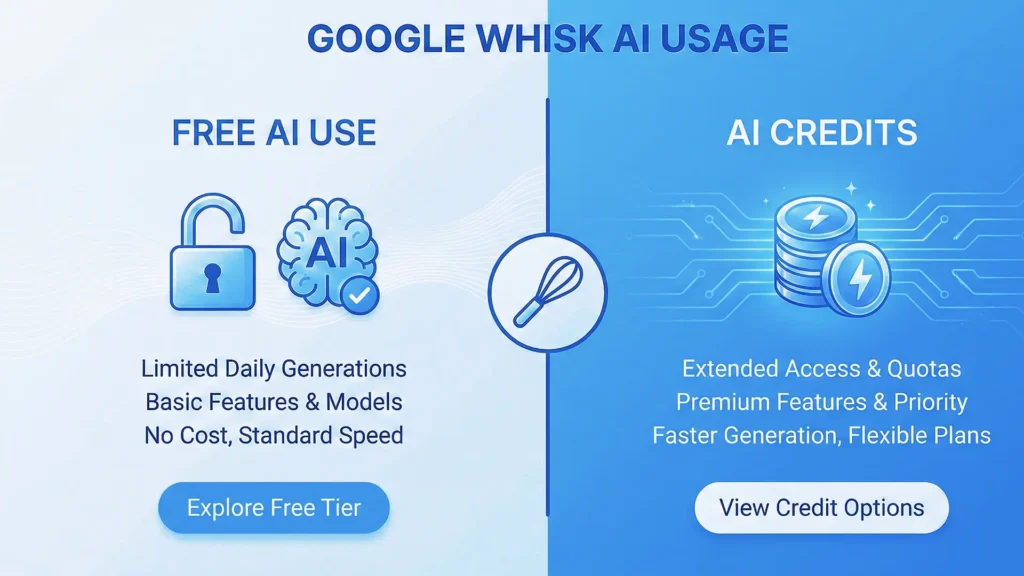
This is the big question! Since Whisk is part of Google Labs, it is primarily an experimental tool.
- The Free Version: For most users, Whisk is free to use with limitations. You get a certain number of daily or monthly generations.
- The “Paid” Version: Google is starting to link these tools to the Google One AI Premium plan.
- If you are a heavy user, you might need “AI Credits.”
- Google One subscribers often get a monthly allowance of credits (e.g., 1,000 credits) to use across tools like Whisk, ImageFX, and VideoFX.
My Advice: Start with the google whisk ai free tier. It is usually generous enough for casual fun and learning how the tool works.
Whisk AI vs Other AI Tools
| Google Whisk AI | Other Image Generator Tools |
| Image-based input | Text-heavy prompts |
| Beginner-friendly | More control |
| Limited controls | Steeper learning curve |
| Free (for now) | Often paid |
From first-hand experience, Whisk AI feels less stressful and more playful.
Trust, Safety, and Google’s Role
Because Whisk AI comes from Google, it follows stricter standards than many random AI tools.
Key trust points:
- No direct image cloning
- Responsible AI policies
- Transparent experimental status
Google Labs tools are meant for testing ideas, not exploiting creators.
Common Mistakes Beginners Should Avoid
Based on experience, avoid these:
- Uploading very low-quality images
- Expecting exact replicas
- Overloading with too many images
- Treating it like Photoshop
Whisk AI is not about control. It’s about collaboration with AI.
Frequently Asked Questions (FAQs)
1. Is there a Whisk AI app for Android or iOS?
Currently, Whisk AI is a web-based tool (browser only). There is no official standalone “Whisk AI app” in the App Store or Play Store yet. Be careful of fake apps using the same name! You can use it on your phone’s Chrome browser, though.
2. Why can’t I find Whisk AI on Google?
It is hidden inside Google Labs. If you just search “Whisk,” you will find the recipe app. Make sure to search for “Google Labs Whisk” or “ImageFX Whisk”. Also, check if it is available in your country.
3. Can I use Whisk AI images for commercial use?
Since this is an experimental Labs tool, Google’s terms usually state that images are for personal use and testing. The watermarking (SynthID) is often embedded to show it’s AI-generated. Always check the specific Terms of Service in the Labs interface before using it for a business.
4. How does Whisk AI compare to Midjourney?
Midjourney is more powerful for professionals who know code-like prompts. Whisk AI is much easier for beginners because it relies on images, not words. It’s faster but offers slightly less control over tiny details.
Conclusion
Whisk AI is honestly one of the most refreshing AI tools I’ve tried this year. It takes the pressure off “writing the perfect prompt” and puts the fun back into visual creativity. Whether you want to make a funny profile picture, generate ideas for a project, or just see what your dog would look like as a Renaissance painting, Whisk makes it easy.
Ready to try it? Head over to Google Labs right now, sign in, and upload your first three images.
- Next Step for You: Go find three photos on your phone right now: one selfie, one photo of a cool place you visited, and one screenshot of a cartoon you like. Open Whisk and combine them I promise the result will surprise you!